
How to remove items from my cartUpdated 5 months ago
 Written by Rose
 At Resparked, we strive to provide a seamless and enjoyable shopping experience for our valued customers. Whether you're exploring our extensive range of products or finalizing your purchase, managing your cart is straightforward and user-friendly. In this guide, we will walk you through the simple steps to remove items from your cart on our online store.
Step-by-Step Guide to Removing Items from Your Cart
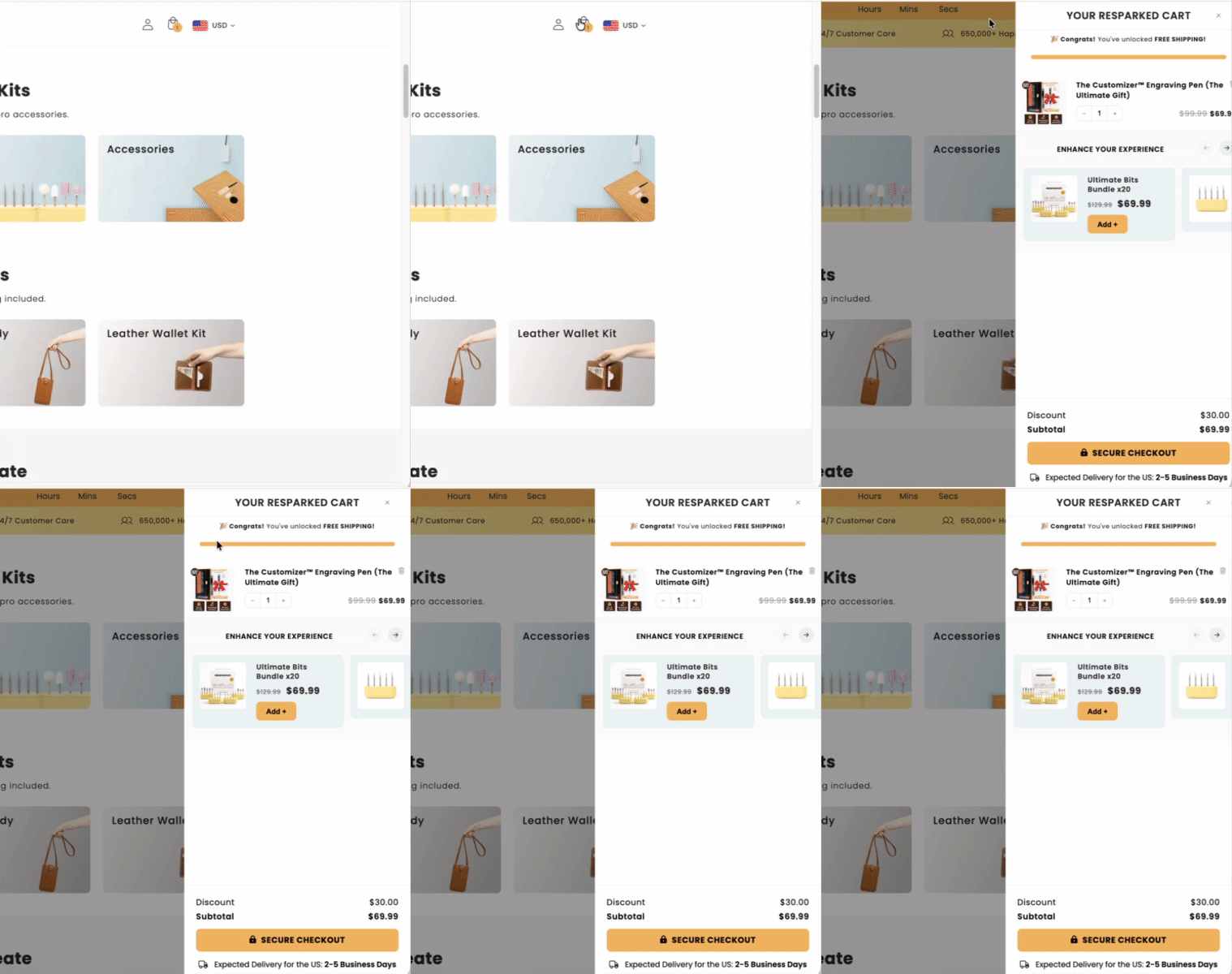
Step 1: Access Your Cart
To begin, locate the cart icon at the top of your screen. This icon is your gateway to viewing and managing the items you have selected for purchase.
Step 2: Remove Items
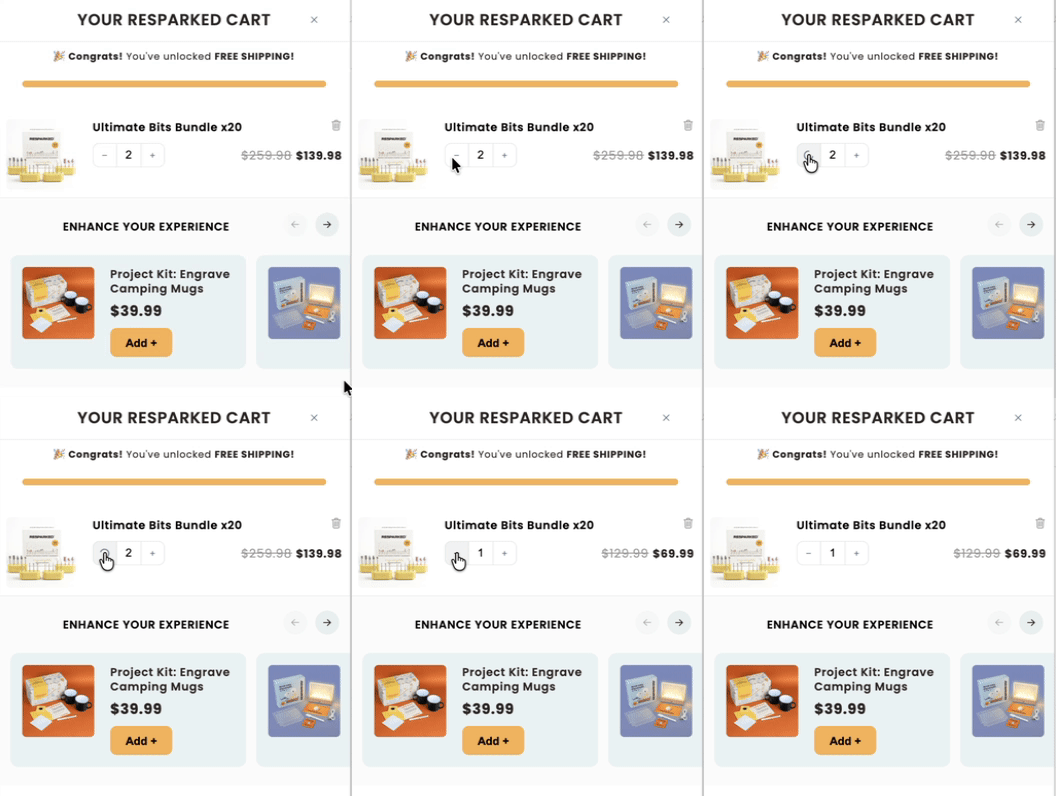
Once you've opened your cart, you will see a list of all the items you have added. To remove an item, simply press the minus (-) button next to the item you wish to delete. This action will immediately update your cart, reflecting the changes you've made.
Step 3: Confirm Your Cart
After removing the desired items, review your cart to ensure it contains the items you wish to purchase. Adjust quantities as needed to match your preferences.
Visit Us
For more information or to start shopping, visit our online store at Resparked. We are committed to providing you with high-quality products and exceptional customer service. Should you have any questions or require further assistance, please do not hesitate to reach out to our support team.
Thank you for choosing Resparked, where professionalism and respect are at the heart of everything we do. Happy shopping!